AWS Terraform


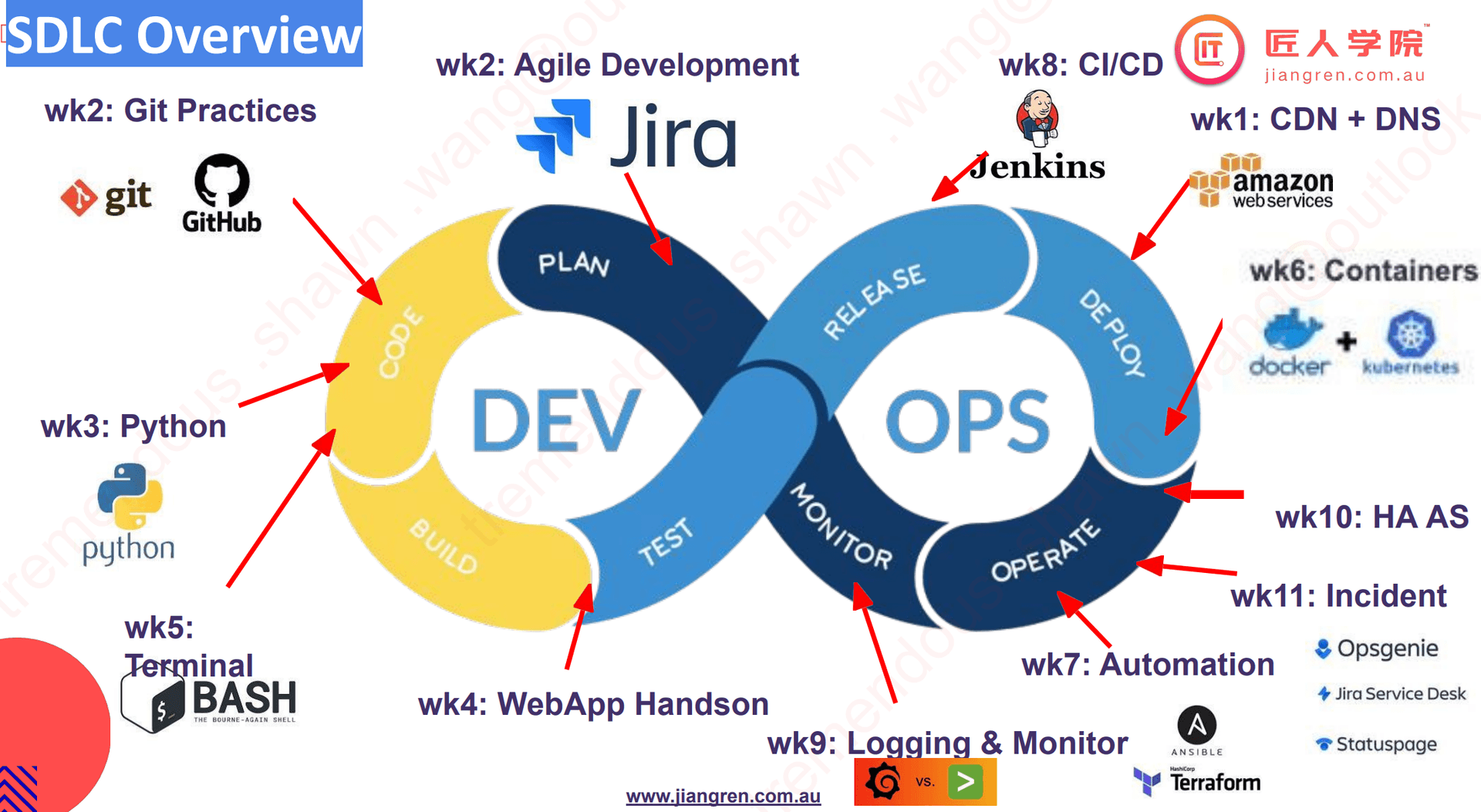
DevOps Terraform Basic 1
- infrastructure as code?
- 用代码生成硬件资源 (Create, Update(Change), Destroy (CUD))(Terraform)
- deploy/update applications on top of the infrastructure
- manage the configurations used by the applications (Ansible)
- terraform vs ansible
- terraform: 负责 infrastructure
- ansible: 负责 config that infrastructure
- terraform:核心组件一 → input sources
- core:TF-config that what to create/configure?
- state: snapshot 当前 infrastructure 状态 core compare both → plan: what needs to be CUD? 根据 desired config 去修改当前的状态
- terraform: 核心组件二 → main components
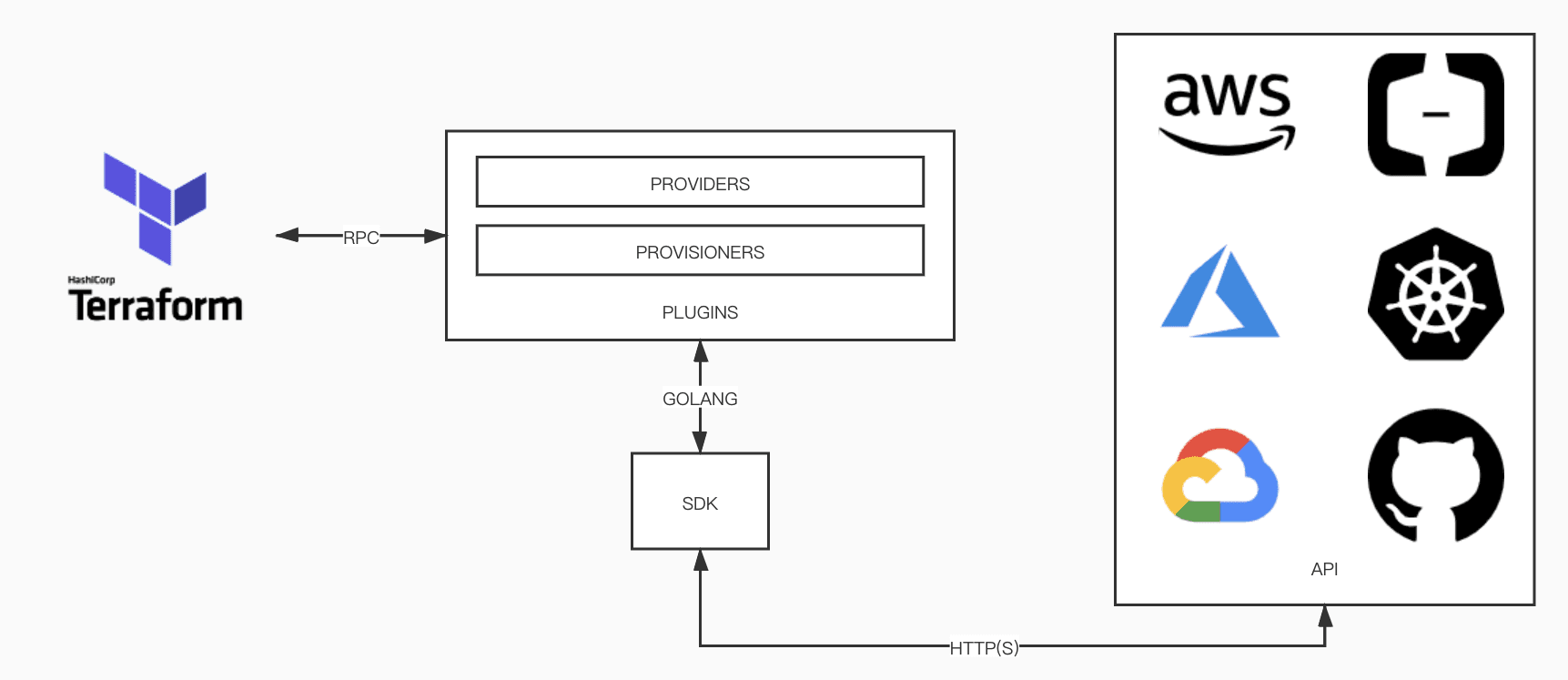
- providers:各种云,k8s, service
- declarative vs imperative?
- declarative: 来个 cheese buger 🤓Terraform
- imperative: 一步步指导怎么做(烤面包,煎肉,拿芝士。。。)
- acl: access control list 权限管理列表
- 使用 HCL(Hashicorp Configuration Language)语言
- init → plan → apply → destroy
DevOps Terraform 2
- VPC spans all the AZ(subnet) in the region 就是一个 region 有很多 VPC,每个 AZ 中有对应的 subnet
- subnet level control ⇒ NACL
- instance level control ⇒ security group
- Terraform
- source: create new cloud resource
- data: get known resources already from the cloud
- provider == import library
- resource/data == function
- tags = {Name: XXX} 注意,这里的 name 只有是开头大写的情况,才是修改 vpc 的 Name 属性
- terraform destroy -target aws_subnet.dev-subnet-2 删除指定 resource
- terraform apply -auto-approve 自动认可变化更改的类型
- terraform state
- list: 列出该状态下的所有资源
- show <resource>
- terraform variables:
- params 的形式
- command line 输入的形式
- terraform.tfvars file to record variables
- export TFVAR<variable_name=”Oldiron666”
- terraform 多环境部署?
- 创建不同的 terraform.vars 文件 eg. terraform-dev.tfvars
- terraform apply -var-file=”terraform-dev.tfvars”
- 先切换工作目录/环境 terraform workspace new uat
- terraform apply -var-file=uat.tfvars 或者 terraform apply -var-file=.tfvars
- 此时,S3 会生成一个.env 的环境,自动很好的帮我们 organize 多环境问题
DevOps Terraform 3
-
知道为啥 Sydney 有三个 sub-vpc 不? 一个 AZ 一个呀!
-
NACL: 防火墙对于 subnet 来说,默认是 open
-
Security Group:针对 server 来限制,默认是关闭的
-
route table: like roads, the traffic within a private VPC
- local = within the VPC
-
无论 internet gateway 还是 AWS route table,都是虚拟的!
- Internet gateway == virtual modem
- route table == virtual router
-
The procedure connects the network for VPC
- vpc
- Internet gateway
- route table
- connect route table with the internet gateway
- connect route table with subnet (subnet association) (the traffic in the subnet can be handled by the routeing table) attention: 如果没有指定 subnet association,会自动分配默认的子网
-
关于秘钥问题的一点猜想 ssh key
- github 的时候,是提供了自己的公钥到 github 中
- aws 下载的秘钥,是私有 key
- 用自己的 ssh key 链接时,也是先用 public key 发给 aws,然后用自己的私有 key 登录 可以说是先非对称加密,后对称加密的代表了。public key 用于传输,private 用于解密。另外,ssh 默认使用 private key 链接,直接 ssh <connectionString> 省时省力。 ps: 第一次认证的时候,需要加入到 known_host 中,问你是否 yes
DevOps Terraform final
- Modules: 就像编程中的 func 一样,封装代码,提高代码的复用率。一个 module 中,至少组合> 3 个以上的 resources
- root module
- /modules = “child modules” which is called by another configuration
- input variables == function arguments
- output values == function return values
- external terraform 使用 source 去判断 module 的来源 )(we use source to add path for our local module)
- configure a remote backend to safely store and share terraform state by S3
- 所有的状态修改会被直接上传 S3
- terraform state list 可以直接远程链接 S3,查看已经创建,使用的资源
然后我就干了件蠢事儿,把上传到 S3 的 state 文件,手动删了 导致已经被创建的资源需要手动删除了。。。。
- handle version and shared storage for state
- S3 for shared storage for state files
- Dynamodb for version locking
- 坑
- terraform 的配置主要是在 backend 那里设置的,配置好要先 init
- S3 和 Dynamodb table 需要手动创建后,再在 backend 里面添加 S3 和 dynamodb_table 名称(引用),不然会直接从 aws 云服务中找,会找不到
- 如果自动创建 S3,dynamodb 的话,destroy 的时候会一并干掉,奇葩的设定。。。
缺点:觉得 terraform 还是个不成熟的产品,但是理念很不错。variable 层层传递问题,state 和 lock 文件的保存问题,都让人觉得非常不合理。
DevOps Terraform 前端爬坑
- 前端分为 s3, cdn, acm 和 route53
- s3 的难点可能在于从 aws_iam_policy_document 中拿 policy,这个 policy 是只能 cdn 通过 oai 访问 s3 的 getobject 方法;且是通过 data 的形式拿到的,这个 data 的参数是不能通过 module 里 outputs 的形式返回到外面的,所以只能放到 root,main 中去写。
- route53,因为我的 domain 在另一个 aws 账号,所以只能提前 delegate 过去,用 data 的形式拿到 zone id 后,再去处理;另一个点是和 cdn 联动,因为是 s3 → cdn → route53,所以 route53 主要是从 cdn 拿数据,通过 alias 的方式。同时,route53 会创建一个 CNAME 去验证 acm 证书的有效性
- cdn 在链接 route53 的同时,需要验证 acm_certificate 的有效性。在 view_certificate 中,仅仅给了 acm_certificate 还是不够的,根据文档,需要添加 ssl support method 模式,这里选的是 sni-only,用默认的“TLSv1”的协议版本就可以成功选择我们为域名生成的证书了,这里算是比较深的一个坑。
- acm 的一个坑主要在创建的 region。如果需要被 cloudfront 链接认证,acm 必须创建在 Virginia,也就是 us-east-1。整个前段其实可以基本无视 region 的限制,因为 s3 的数据是被加速到全球 cdn 的(当然可以自己选择覆盖的区域),如果考虑创建多个资源在不同的 region,在 module 子资源中,需要创建 provider,指定 region 和 alias,然后创建 mult-region 的资源中添加 provider=aws.<aliasName>去引用资源。而且在 resource 中的 provider argument 是没有标注的,我在自己尝试中发现可以指定,算是一个小坑。
- 最终,我的 route53(acm_certificate_validation,没错,我把它放到 route53 module 了,因为我认识是 route53 在对其进行验证) 和 acm 都是新建在 Virginia
DevOps terraform 多环境 + ECS 理论
- Terraform
- terraform fmt -recursive 统一 format 所有文件
- 应用部署不同的环境 terraform apply -var-file=”<dev/pro>.tfvars”
- manage multi env + multi workspace ⇒ terraform workspace 创建不同的 workspace 用于跑 dev 和 prod 环境
- provider “aws” { profile = “XXX”} 这个 profile 主要用来匹配存在电脑中的 credentials’ access_key_id and secret_access_key.
- terraform init -backend-config=”dev-backend.conf”
- ECS Fargate
- task definition: describes one or more containers through attributes, which combines multiple container definitions. (task definition combines multiple container definition)
- 也包括了 container definition: container image and container level setting(port, registry, env variables)
- cluster: fully managed by AWS
- service: allows running and maintaining a specified number of simultaneous instances of a task definition(task) in an ECS cluster. 定义 task 的数量
- task: 从 task definition 中实例化
- task definition: describes one or more containers through attributes, which combines multiple container definitions. (task definition combines multiple container definition)
DevOps tf-backend 小记
- 为什么 application load balancer 要设置 sercurity groups 和 listener 两层限制? 我目前的猜测是:首先 loader balancer 的实现是使用 ec2,ec2 就会有 sg 的概念,允许哪些端口流量进入 serve。同时 server 中会安装类似于 nginx 的软件,进而实现负载平衡,而这个软件需要设置开放的端口配置流量。此外,一般是同时设置 listeners 和 routing,就是接到这个流量后发送的 destination。相当于 aws 把软件的配置抽象出来,给客户更好的 UI 来实现对软件的配置
- apt remove: 会删除软件包而保留软件的配置文件
- apt purge: 会同时清除软件包和软件的配置文件
- IAM role
- similar to an IAM user but unlike a user who is associated with one person. a role is intended to be assumed by a user or a service or an application.
- a role does not have credentials such as a password access key.
- IAM user:1 user → _ groups. 1 group → _ users
- cf, tf, aws cdk & pulumi:
- CloudFormation 跟 tf 是一样的 都是 declarative syntax,只不过是用 yml 写的
- aws cdk 跟 pulumi 是一样的 用任意编程语言生成 infras
- 坑:
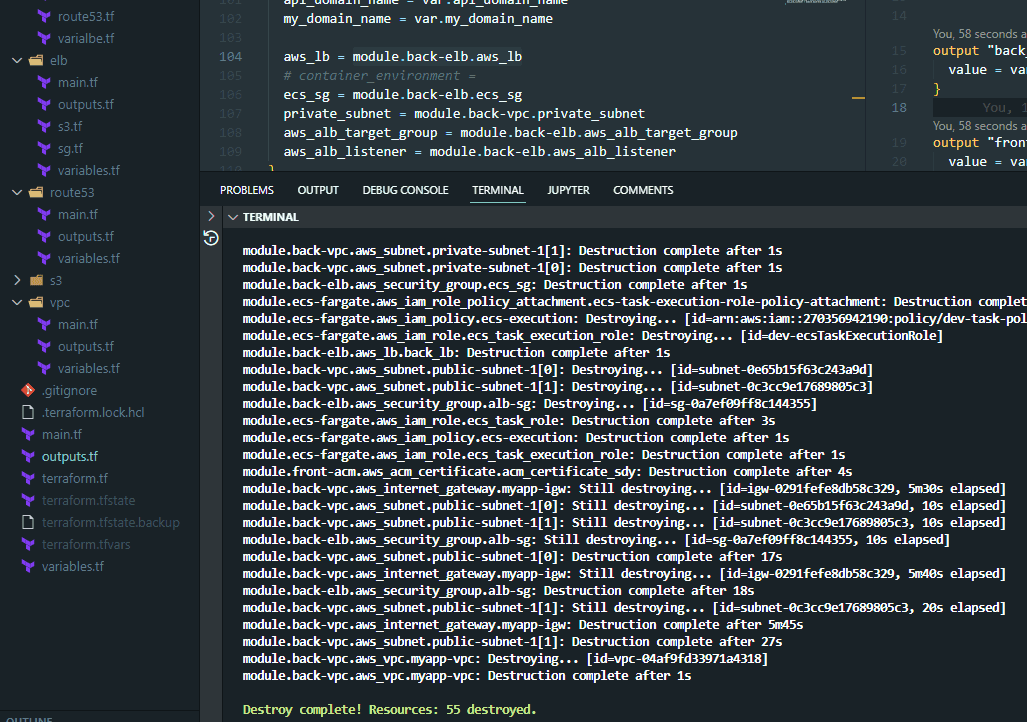
- lb 的 enable_deletion_protection = true,会阻止 destroy lb,改成 false,在 aws 中才能被自动 destroy 掉,但是 tutor 不建议可以被自动 destroy
- ecr_repo 默认是在 private 里找 image,public 中找不到
- ecr 的命名要全部小写
- ecr 尽量放在 private 中
DevOps AWS 后端小记 | Day
- 可以公开的情报
- AWS cdk 编译后,生成的是 cloudformation
- VPC peering: 让两个子网的 resources 进行沟通
- least priviledged model: 只给服务必要的端口权限,即便是同一个 private subnet 中。如果某个自服务被黑客攻击了,也无法访问其它的服务
- each private has one NAT
- a public subnet can share one NAT
- 如何提现 security 的 stateful? 只要能进来,就能出去。stateless 的是 NACL
- elb 的 target group 的 port,为啥可以随便写?答:这个端口是 elb 从 listener 到 target group 所进入的端口,是 target group 的入口端口,所以可以随便写(别占用系统默认的开放端口就行)
- tf 中,ecs 的 container 可以关掉 assign public ip address,因为没什么卵用
- tf 中的 sg 的 ingress,from_port 和 to_port 指是一个 port 范围,eg. 666~777. 我们目前写的两个值相同,则是只开放一个端口。
- sg 中,一般只定义 ingress 的开放端口;egress 是全部开放的,eg. 1~65535.
- aws 使用 js 写的,用 ts 是最佳拍档(目前只学 tf,以后再说)
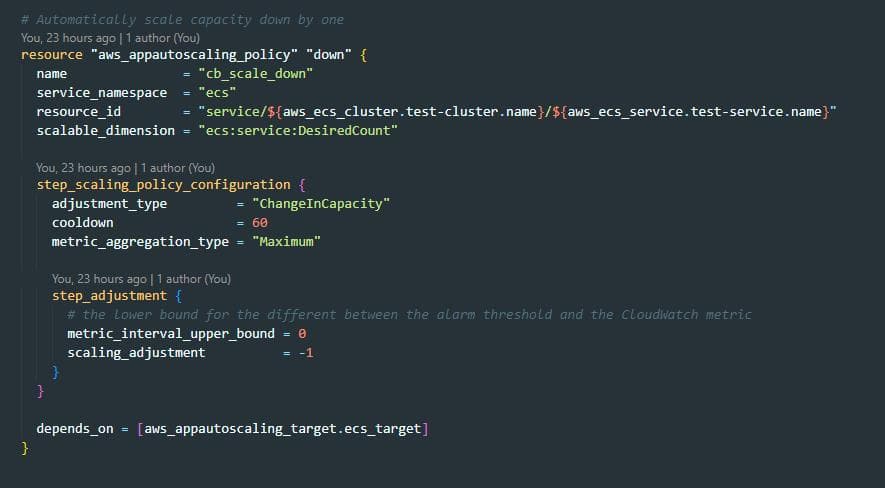
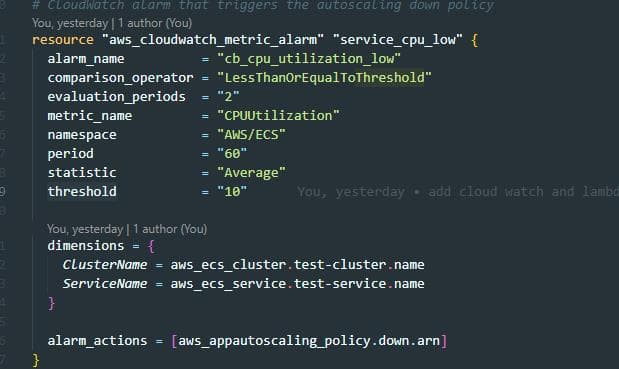
- CW 和 autoscale 中的,step scaling policy config 中的 step adjustment 的 metric_interval_upper_bound 和 lower bound 的作用? 配合 CW,设置调整的上限和下限,设置多梯度的 scale 策略。eg. cloud watch 设置的监控值是 50,监控数值上限是 20,下限是 10,则新增一台机器。如果监控数值是 30,下限是 20,则新增 2 台。且上限值必须大于下限值。
Docker image 打包多个标签/ALB 精讲
- tag the docker built, one for the version tag, one for the latest tag
- docker tag <name> <image-name>:${BUILD_NUMBER}
- docker tag <name> <image-name>:latest
- 通过 load balancer 访问多个服务器,如 jenkins,sonarqube,vault。
- 将不同的路由 有 alb 进行分发,每个不需要单独生成证书,由 aws 负责生成
Terraform Advance
- for_each:从 list, dict 中,一次取出;用 each 依次取出;
- each.value
- each.key
- lookup: 从 dict 中,根据 key 取出对应的 value
- lookup(<待查找值>, <根据的 key>)
- file()
- eg. public_key = file(”~/.ssh/key.pub”)
- template: templatefile(path, 赋值 vars) 可以用于创建 lambda,task_definition
- template 例如生成 10 几个 cluster, ecs service